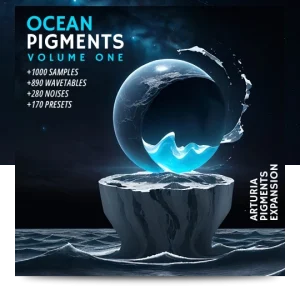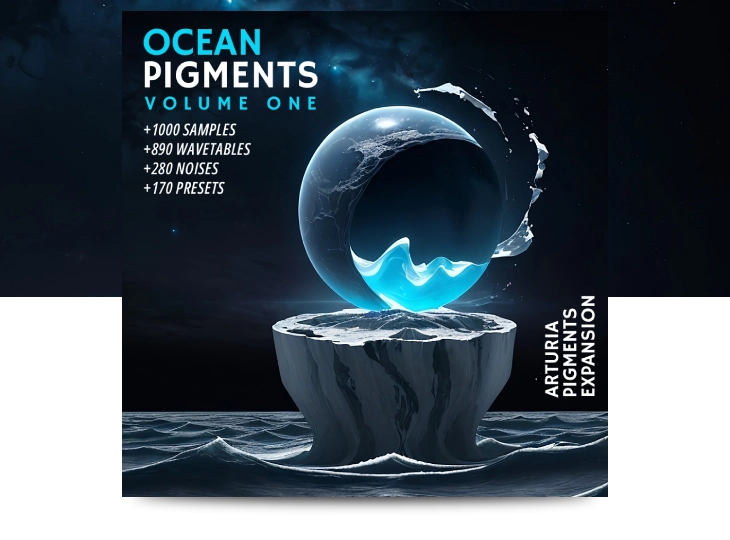
Ocean Pigments Expansion for Arturia Pigments - Main features
- Over 1000 Samples & Noisetables
- Over 850 Wavetables
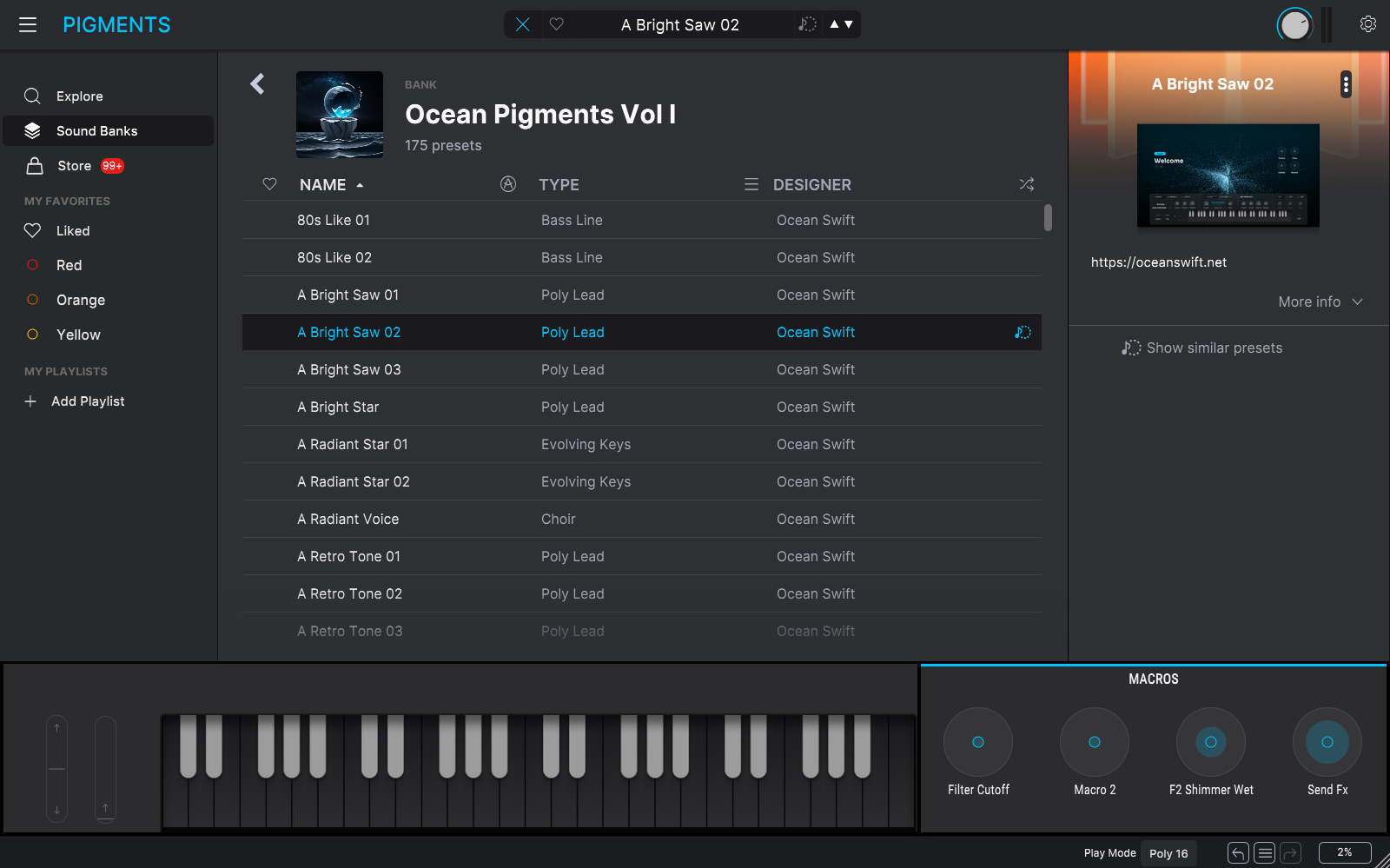
- 175 Presets
- Expansion for Arturia Pigments.
- More than 1030 seamlessly looped samples.
- 890 morphed and single cycle wavetables.
- 280 noises or noisetables.
- 175 presets.
- Effect presets.
- Open Library: All samples, wavetables and noisetables are available to use outside Arturia Pigments.
- Expressive sound design: Full Aftertouch and Modwheel support.
- Wide range of melodic sounds: Surreal ambiences, atmospheres, pads, synth Keys, key pads, poly & mono leads and many other immersive sounds.
- NKS support: including audio preview when hosted in Maschine or Komplete Kontrol.
Pigments Expansion installation instruction
Installing the Presets:
- Update Pigments to the latest version.
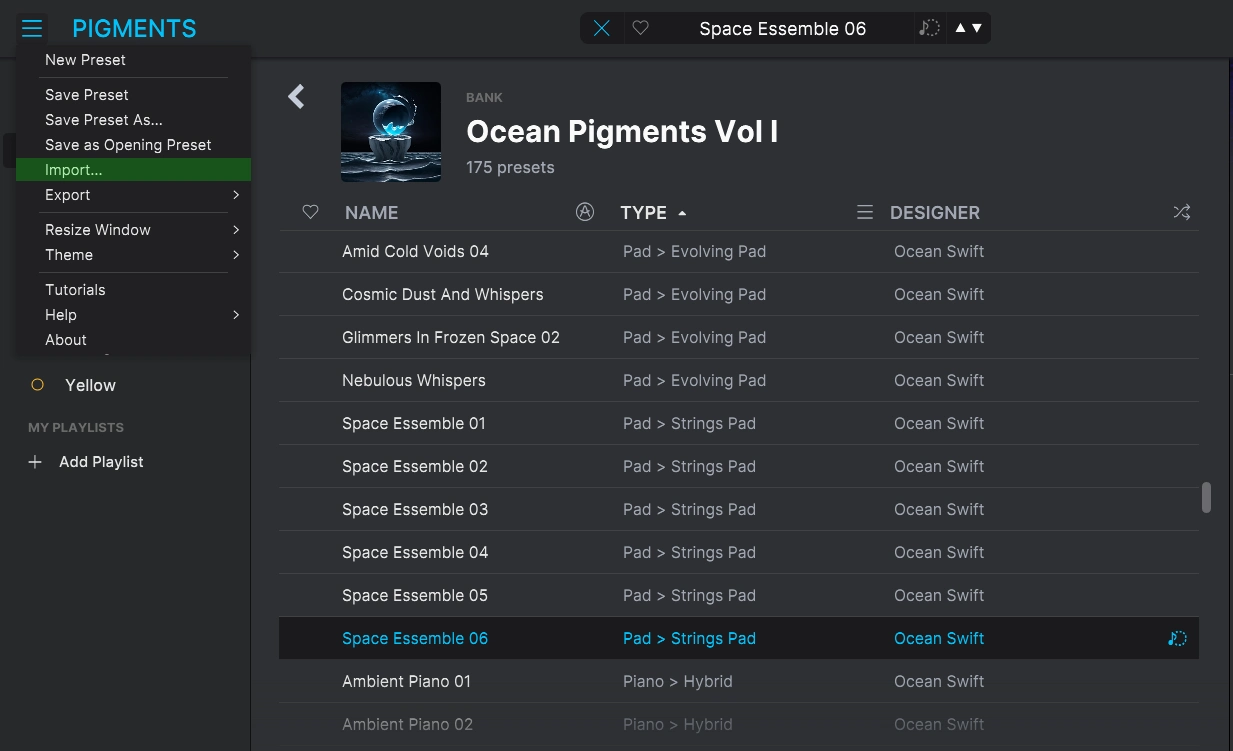
- Open Arturia Pigments click on the menu icon on the upper-left next to the “PIGMENTS” logo.
- Select “IMPORT” and import our file “Pigments_Bank_Ocean Pigments Vol .pgtx” Included in the download.
- Wait until it finishes importing, it may take a few minutes.
Installing The Samples:
For the complete Ocean Pigments experience, we recommend you also to add our entire sample and wavetable libraries – This will greatly expand the sound design potential.
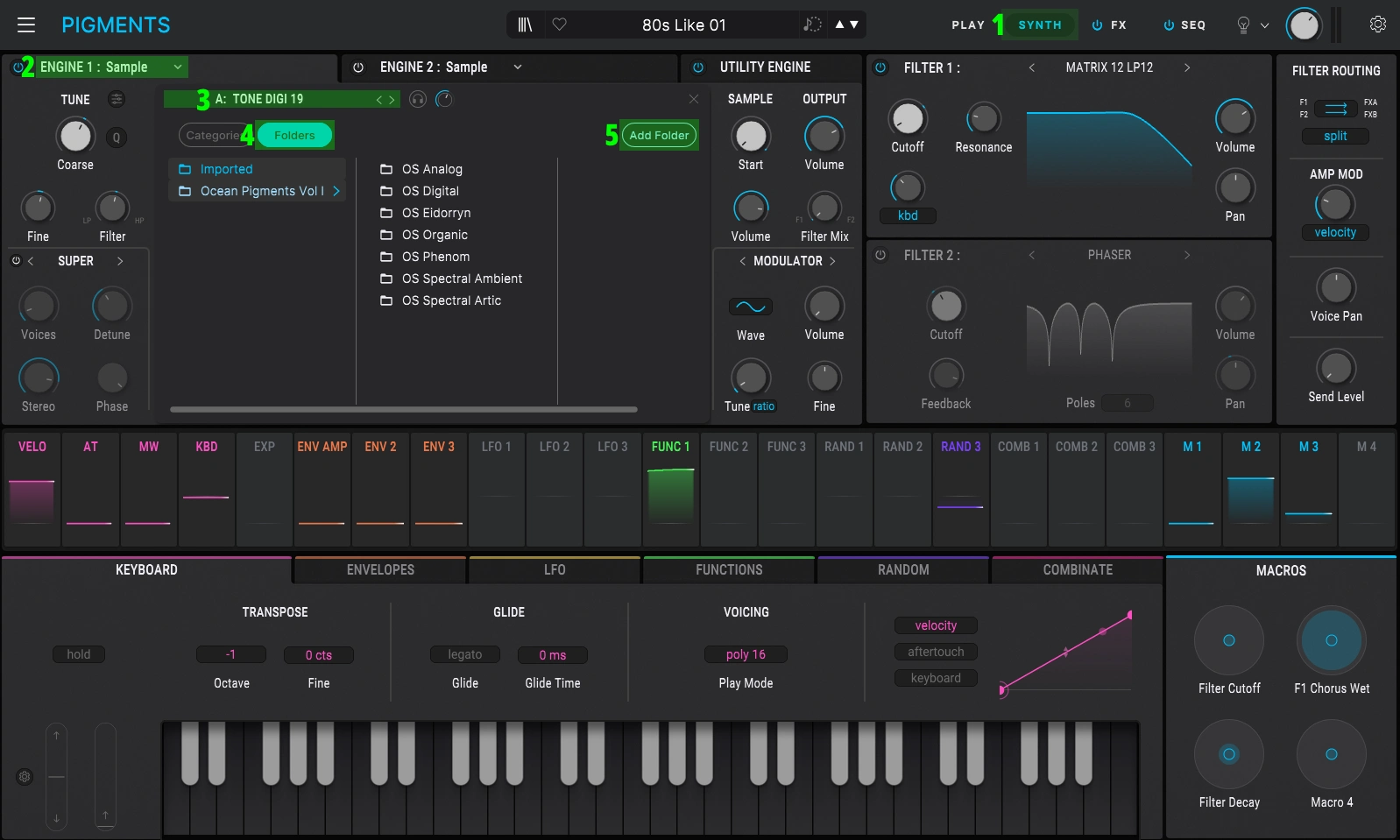
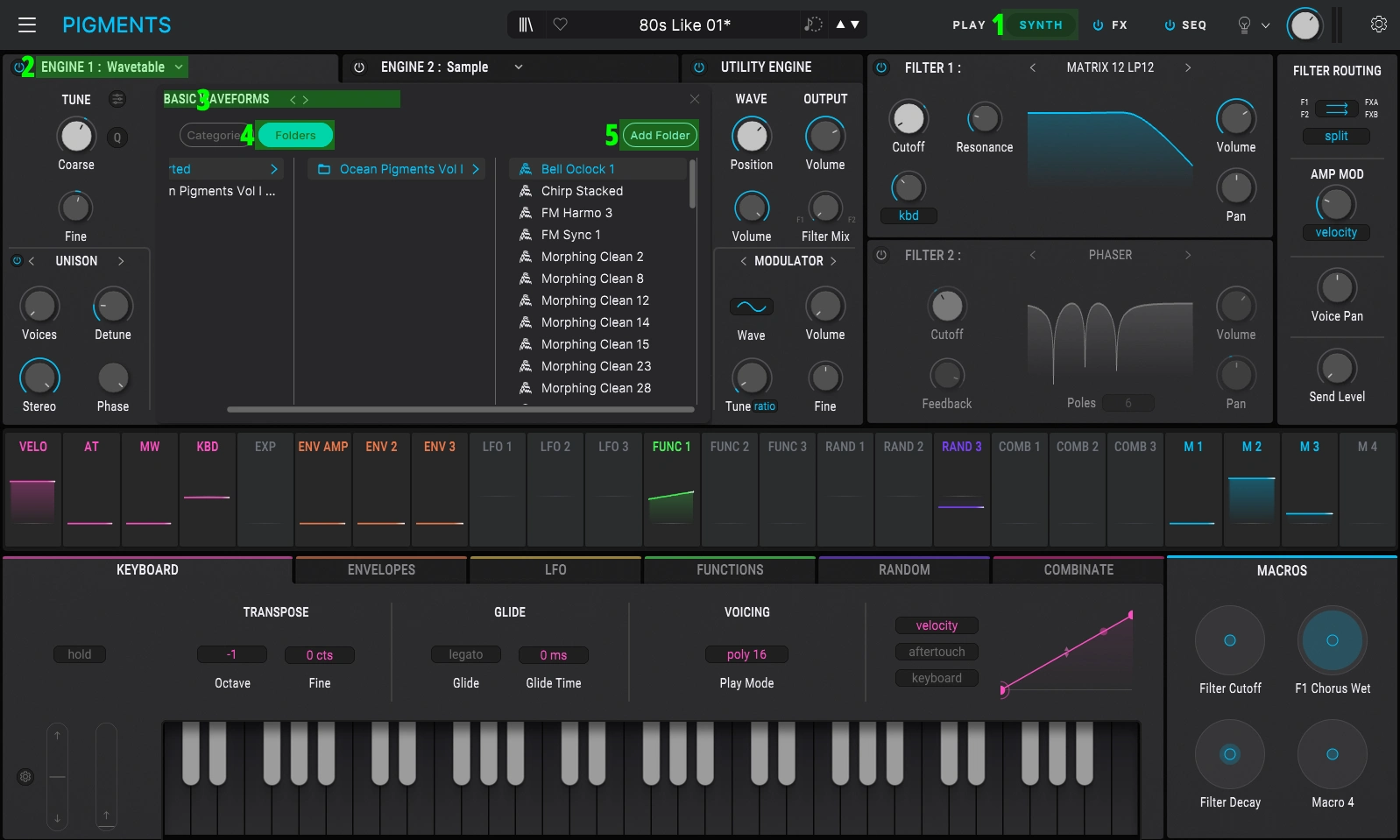
- Open Arturia Pigments, on the upper right-right bar select “SYNTH”
- Set ENGINE 1 to SAMPLE
- Click on A: “Sample Name”
- Select FOLDERS
- Now click on ADD FOLDER and Add our “Ocean Pigments Vol I Samples” Folder provided in the download
Installing The Wavetables:
- Open Arturia Pigments, on the upper right-right bar select “SYNTH”
- Set ENGINE 1 to WAVETABLE
- Click on A:
- Select FOLDERS
- Click on ADD FOLDER Add our “Ocean Pigments Vol I Wavetables” Folder provided in the download
Installing the Noises / Noisetables:
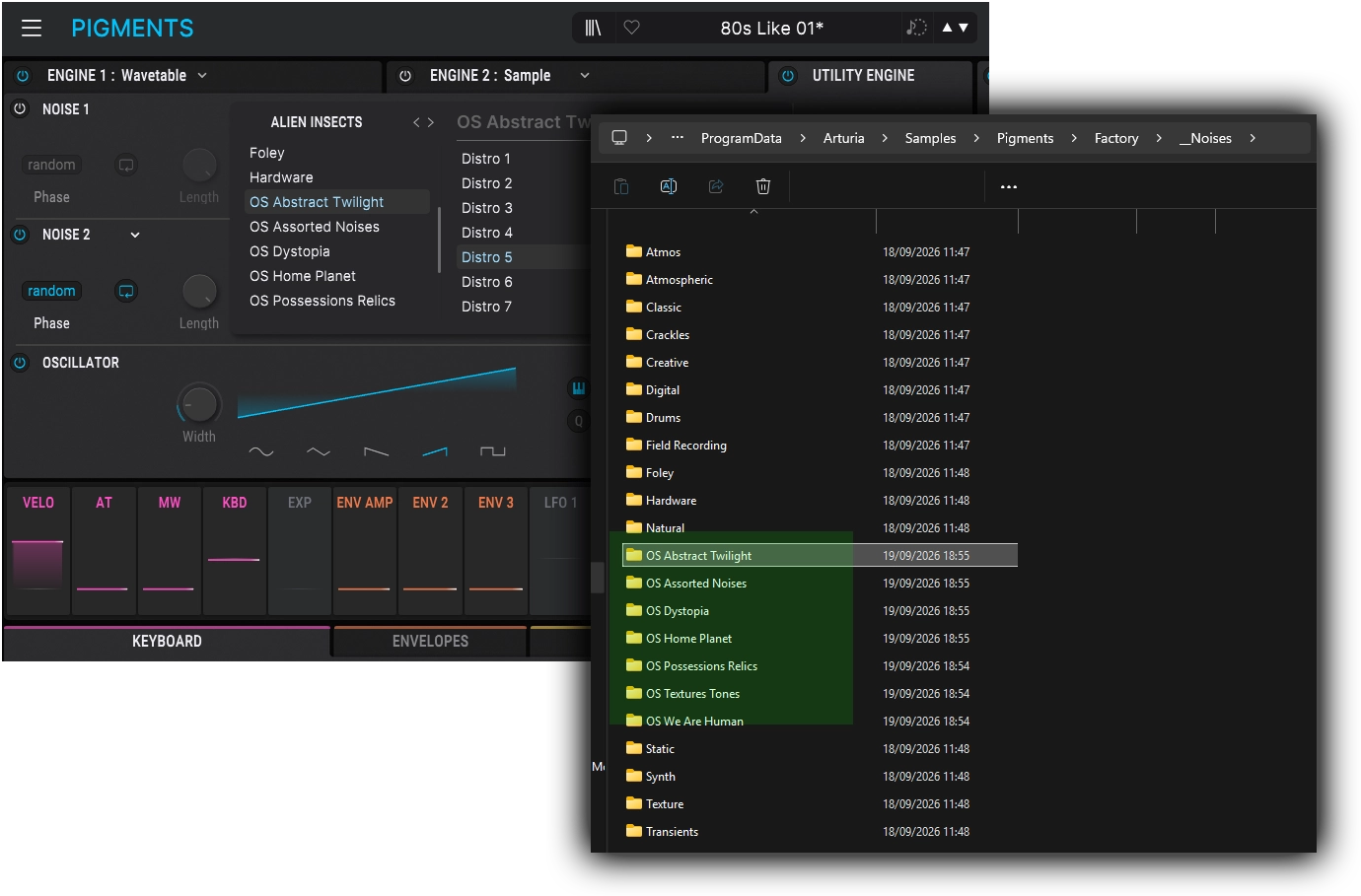
Ocean Pigments further enhances the Noises section of Pigments by incorporating a curated selection of samples from our Kontakt instruments, primarily Dystopia Diary and Porphyra Diary. To install these samples follow the steps below!
- Go to your Arturia Pigments Factory folders, and navigate to the “Noises” factory folder, this is by default located in:
Win: C:\ProgramData\Arturia\Samples\Pigments\Factory\__Noises
macOS: /Library/Arturia/Samples/Pigments/Factory/__Noises - Go to our downloaded “Ocean Swift Pigments Noises.zip”, extract it, Copy and Paste the folders: “OS Abstract Twilight”, “OS Assorted Noises”, “OS Dystopia”, “OS Home Planet”, “OS Possessions Relics”, “OS Textures Tones”, “OS We Are Human” into the “__Noises” folder mentioned above.
Installing the Effects Presets:
. Go to your Arturia Pigments Factory folders, and navigate to the “Resources/Internal_presets” factory folder, this is by default located in:
Win: C:\ProgramData\Arturia\Pigments\resources\internal_presets
macOS: /Library/Arturia/Pigments/resources/internal_presets/
. Copy and Paste our “internal_presets” folder provided in: “Ocean Swift Pigments Effect Presets.zip” into this location.
Installing the NKS files:
From the downloaded “Ocean Pigments Vol 1 NKSF Pigments.zip”, copy the “Pigments” folder exactly as it is to the Native Instruments user content folder. By default, the Native Instruments folder itself is located in the computer’s main documents folder. You may need to rescan the user content in Maschine/KK in order for the presets to appear in the browser.
Mac: /Users/user.name/Documents/Native Instruments/User Content/
Win: C:\Users\Admin\Documents\Native Instruments\User Content\
*Preset Showcase with no exterior processing.
Expansion for Arturia Pigments
Delve into our impressive collection...
This expansion features a vast collection of un-heard samples and wavetables for arturia pigments.
Ocean Pigments caters to a diverse range of users, from bedroom producers to professional sound designers. Offering an impressive collection of 200 presets, 1030 samples for the Pigments sampler, and 850 wavetables for custom sound creation.
This extensive library is invaluable even for those who prefer to design their own sounds from scratch rather than relying on preset packs – Don’t miss out on this captivating and inspiring expansion!
Extensive selection of sound categories
- Sculpt and explore immersive worlds of sound
- Explore our sample library:
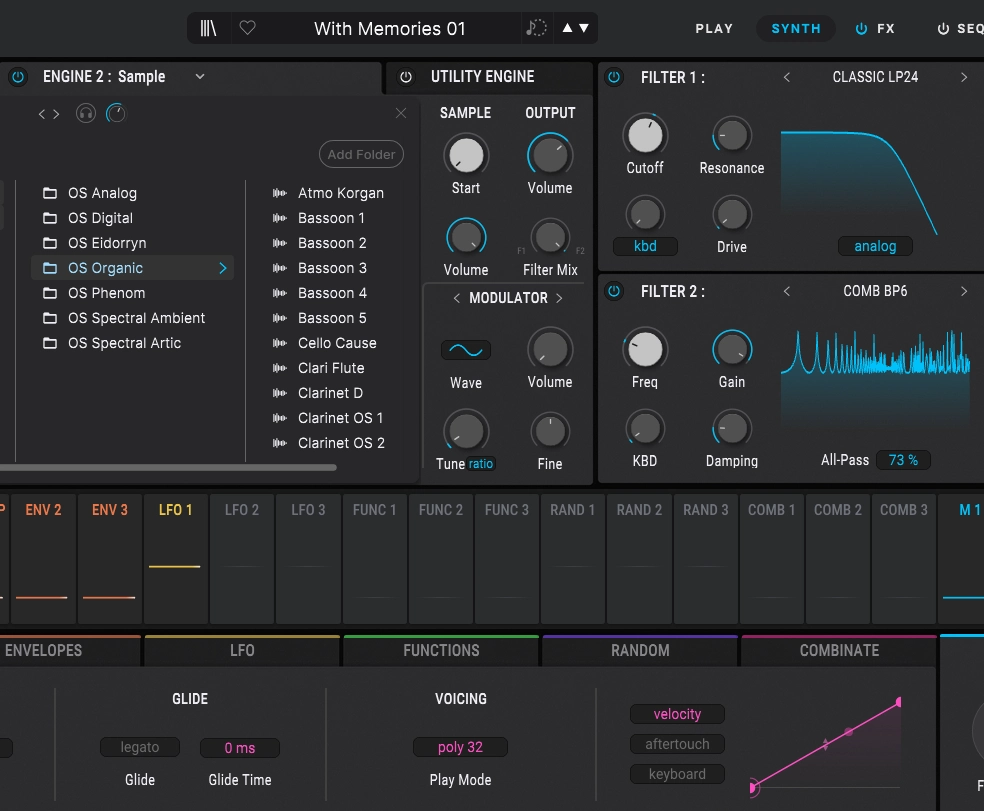
- Analog: Oscillator sounds sampled from a large collection of Eurorack modules and hardware synths. Varying tones from clean and liquid, to rough and gritty with apparent analog characteristics.
- Digital: An extensive collection of digital sounds in all sorts of styles and tones from a staggering array of sources such as countless classic hardware synthesizers, digital modulars, digital Eurorack modules and more.
- Eidorryn: From the lushly beautiful and tightly tuned to the granularly swirly and odd, this category includes a special curated collection of interesting layers and cinematic tones and spectrums.
- Organic: The organic category contains more natural sounds such as violins, human vocals and so on in an oscillator-like context. Many of these samples have intentionally “odd” processing, providing a sort of Mellotron-esqe tone to the sounds.
- Phenom: This is a special category consisting of sounds paying homage to the classic legacy Ocean Swift plugins. The sounds come from our Defiant WT, Polyphenom, Aeolian Meditation, Enterprise VST plugins, as well as from our plugins for the Sonic Core Scope DSP platform.
- Spectral Ambient: Selection of sounds from our Spectral Oscillators Collection focused on deep ambient soundscapes and tones.
- Spectral Artic: Cold and cinematic sound selection from Spectral Oscillators Collection.
Each category brings unique textures and tones, allowing you to sculpt immersive worlds of sound. Whether you’re creating atmospheric tension or cinematic beauty.
Hundreds of inspiring Presets and near endless possibilities
A universe of sound design potential at your finger tips
Featuring detailed, immersive sound design spanning genres and styles. Dive into a world of sound with hundreds of meticulously crafted Presets. Each snapshot is a starting point for a scene or story, inviting you to tweak and explore.
Full NKS support
Every preset includes full NKS support, with deep tagging for fast browsing, macro controls and audio previews, the complete package.
Volume 1 – The Deep Blue
Ocean Pigments offers a timeless palette for the modern composer and sound designer.
Here, possibilities shimmer,
in currents unseen, a vibrant hue.
The ocean’s vast pigment,
an endless spectrum, ever new.