

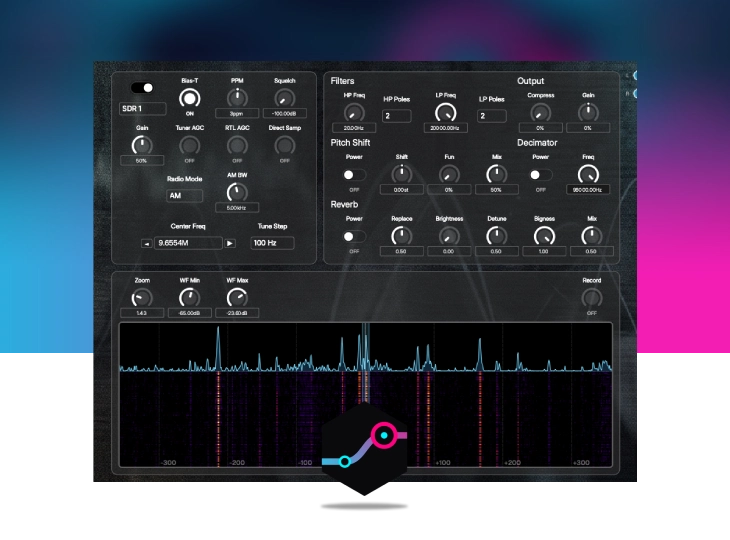
RTL-SDR Radio Dreams is a complete software-defined radio module for DevOcean Modular. It brings live radio frequency tuning directly into your patching environment. You can capture and record transmissions straight from the module or route the live signal as a unique audio source within a larger modular patch. Dive into Air Traffic Control, VOLMETs, number stations, HAM armatures, morse codes, digital signals and shortwave oddities – perfect for unique and creative advanced sound design and experimental composition.
Note: This module requires a connected RTL-SDR hardware dongle to function.
0.00 €

Tyrian Tine returns. Originally celebrated for its effortless approach to randomized wavetable synthesis, this simple little instrument has been entirely rebuilt and reimagined for a new era of modular sound design. Tyrian Tine is more than just a port, it…
DevOcean Modular is a modular synthesis and sound-design environment, along with everything you need to carry its sounds into your music. At its heart is an infinite canvas where a single idea can grow into an entire instrument. Around it…

Goa Lyra is a virtual analog synthesizer module designed for DevOcean Modular. Built to capture the architectural style and sonic character of classic VA synths from the 90s and early 2000s, it provides a comprehensive subtractive FM synthesis workflow with…